 shinbo
Permission modes: Ask, Accept edits, Auto, Full access
Pick one of four permission modes to decide what a turn may do without asking you.
These guides describe the current development source. The published v0.9.2 release can differ; check release notes before following a workflow.
You set how much a turn may do alone.
A permission mode decides which tool calls run on their own and which stop to ask you. There are four, from asking every time to full access. A few rails stay on in every mode, and a subagent can never hold more than its parent.
- Open a thread and find the mode picker in the composer. It starts on Ask.
- Switch to Accept edits and ask for a file change. The edit lands; a shell command still prompts you.
- Switch to Auto and run a longer task. Ordinary calls go through; a call that matches a prohibited action, or that the verifier will not clear, stops and asks.
- Change the picker while a run is in flight. The new mode applies to that run immediately.
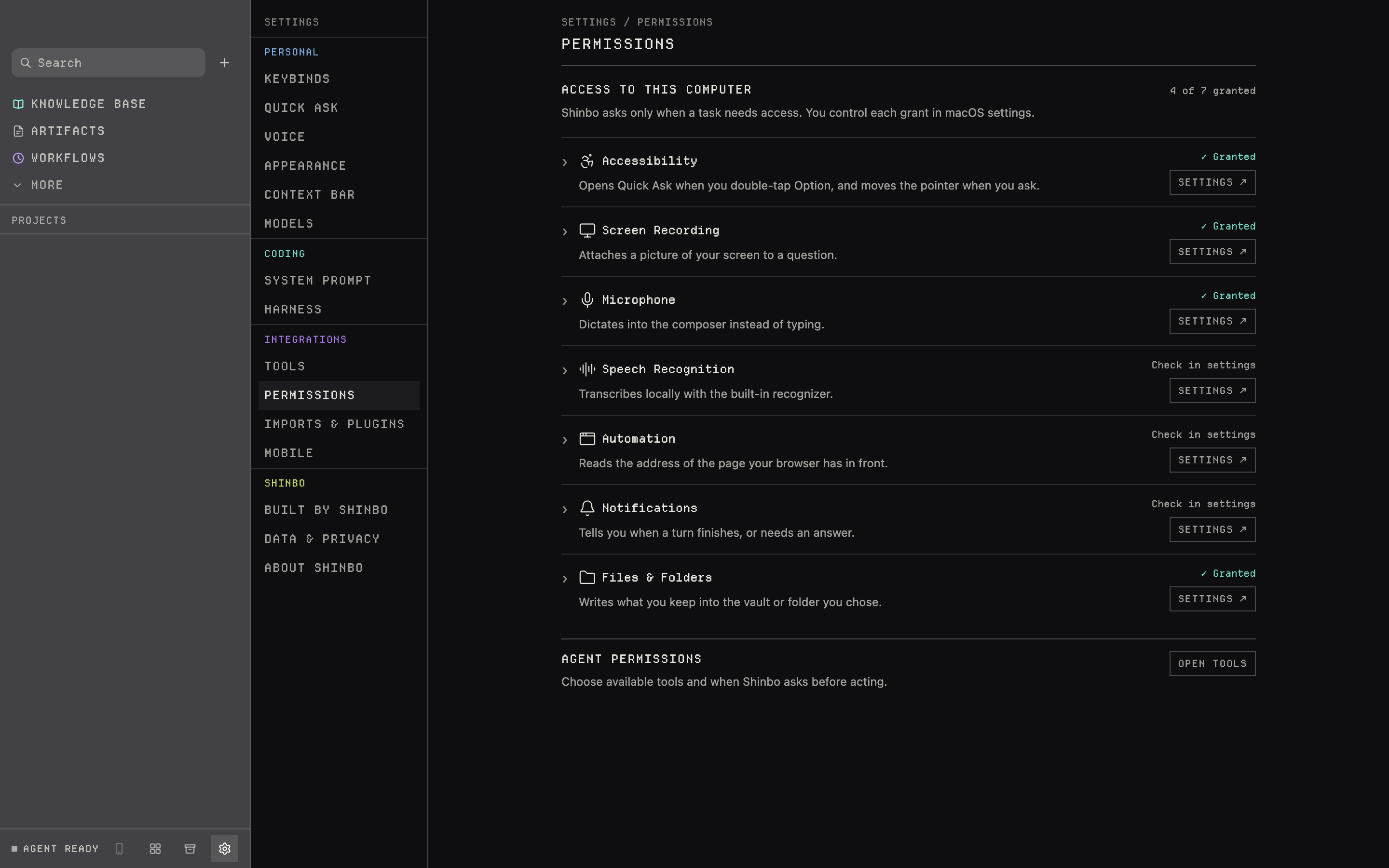
- Open Settings → Permissions to see which system grants Shinbo has. Its Open Tools button leads to where individual tools can be hidden.
The four modes
Every write, command and click asks first. The default.
File writes and searches go through. Commands, the browser and the pointer still ask.
Everything runs on its own except ten prohibited actions, like deleting outside what you named or sending your data elsewhere. Anything that matches stops and asks you. The screening prompt and the model that runs it are both yours to change.
Every tool runs on its own except computer use, which always asks. Other apps still ask. During computer use, global Escape stops computer access while the agent continues.
Ask and Accept edits behave the same for all 27 of Shinbo's own tools; the difference is file edits made by the harness. Auto uses a small verifier model to clear ordinary gated calls. If the verifier breaks, Auto degrades to Ask, never to Full access. During computer use, global Escape stops computer access while the agent keeps running.
- Deleting, overwriting, moving or emptying anything you did not name — your home folder, /, /System, /Library, /usr, /etc, /Volumes, whole disks, or paths built from unset variables
- rm -rf, find -delete, truncating or redirecting over a file, or wildcards wider than the task
- Destroying version control you did not ask for — force push, git reset --hard, git clean -fdx, deleting branches, tags or stashes, rewriting published history
- Anything irreversible and published — npm publish, releases, deploys, dropping or truncating a database, sending mail or messages, posting to an API others read
- Sending your data off the computer — uploads, curl or scp of local content, pasting into remote services, webhooks
- Downloading and running code — curl piped to a shell, install-from-URL, running a just-fetched binary, npx of an unpinned package
- Touching credentials — keys, tokens, .env, ~/.ssh, keychains, browser profiles, cloud credentials
- Changing the machine — sudo, system settings, firewall, SIP, Gatekeeper or SmartScreen, launch agents, cron, launchd, scheduled tasks, registry run keys, system package managers, shell profiles
- Killing or disabling processes, services or containers the agent did not start
- Anything not plainly readable — obfuscated, encoded or eval'd commands
Every other tool runs on its own in every mode. The full list is on Tools.
- Computer access expires
- 10 minutes
- Gap between actions
- at least 40 ms
- Characters per type
- 4096
- Reaching an app
- granted by you, once, by name
- Computer control
- top-right monitor icon and Stop; hover for action and app
- Escape
- global; revokes computer access for this turn
computer asks per app even in Full access. A grant covers only the turn that asked; an unanswered prompt lapses after ten minutes. Shinbo reads what the app reports about itself through accessibility, not the screen. Every action is a log line and a trace span. There is no computer tool-call cap. Stop, global Escape, screen lock or sleep revoke computer access for the rest of the turn; the agent keeps running and cannot restart computer access until a new turn. Subagents cannot call computer; the parent does.
System permissions
Settings → Permissions lists Accessibility, screen recording, microphone, speech recognition, automation, notifications and file access. Each row reads Granted, Not granted, Check in settings or Not required; expand it for what uses it, or click Settings to open the system pane. All are optional, and the set differs between macOS and Windows. If macOS shows Accessibility enabled but Shinbo still reports it missing, use that row’s Settings button to reset the stale grant and grant access again. Relaunch Shinbo after granting access.
Pair a phone
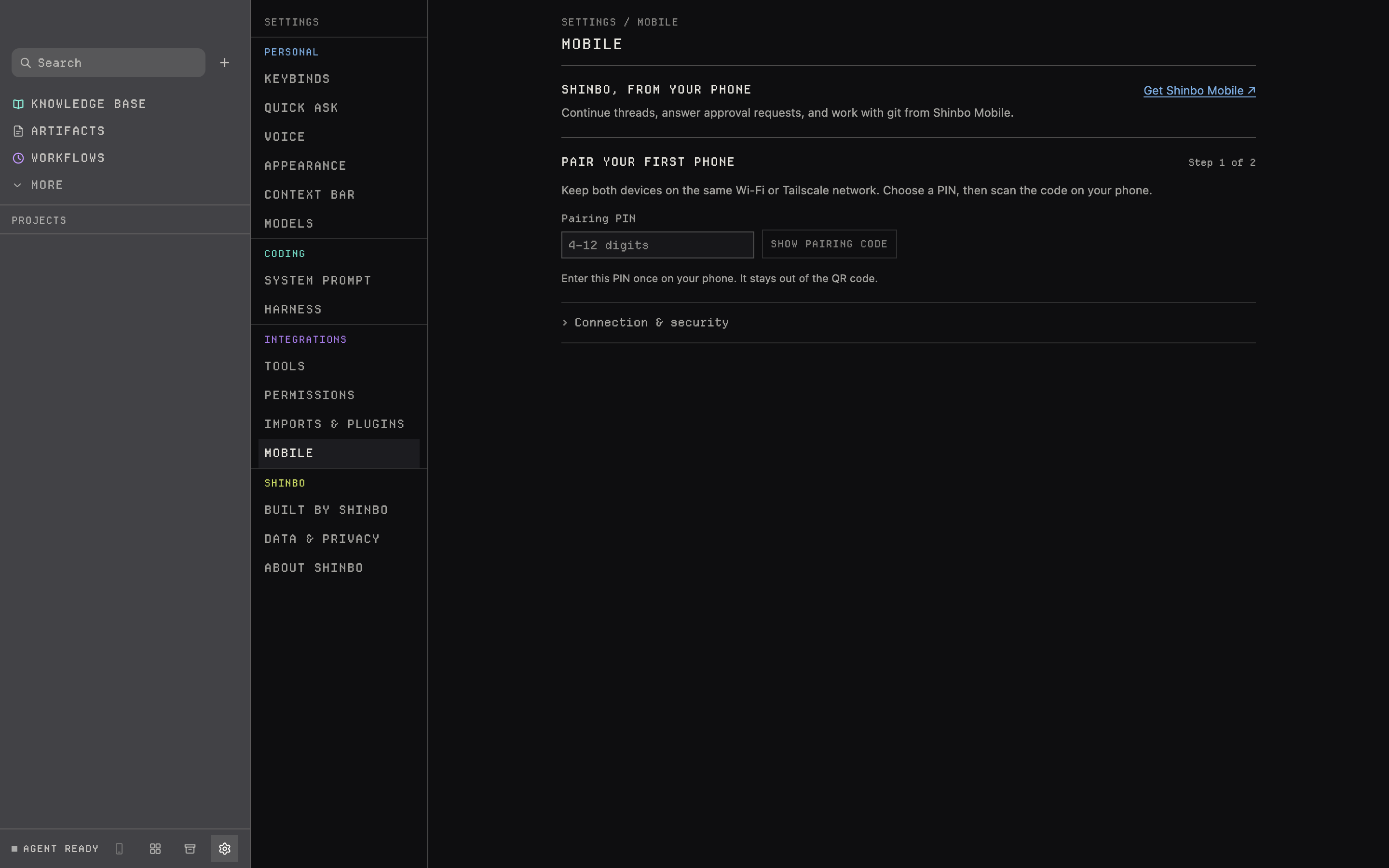
Settings → Mobile pairs a phone: choose a PIN, click Show pairing code, and scan the QR code before it expires. Up to three phones at once. The iPhone client is built but not released, so this pairs nothing yet.
- No mode guarantees every action is safe or that no data leaves the device. Auto screens a list; it does not read intent.
- A subagent inherits the mode and cannot exceed it. Scheduled jobs run under the mode they were saved with.
- Computer access expires after ten minutes. App grants and input safeguards still apply throughout the turn.
- The headless
shinbo-cligates on the terminal, not on this permission channel.
Related: Tools for hiding tools and the full gate list, Delegation for what a subagent inherits, Scheduled work for the mode a job runs under.