 shinbo
Self-improvement from saved runs
See which model keeps failing, ask Shinbo what to change, and prove the change on a replay bench before keeping it.
These guides describe the current development source. The published v0.9.2 release can differ; check release notes before following a workflow.
Find what keeps going wrong, and prove the fix.
Shinbo keeps a trace of its own runs. Self improvement reads those traces back, grouped by the model that ran them, so you can see where turns end badly. From there you ask Shinbo for a scoped change and measure it against the unchanged version before it sticks.
- Open Agent in the sidebar and choose the Self improvement tab.
- Pick a date window, then click Every model, a family, or one exact model id. Failure rates sit beside sample counts, with a brand mark on each row.
- Expand Run evidence to read the prompts, settings and tool calls behind the numbers.
- Click Ask Shinbo to analyze these runs. A thread opens scoped to that window and model and proposes concrete changes.
- Take a proposal to the Bench tab, run the paired replay, and keep or discard the change from its results.
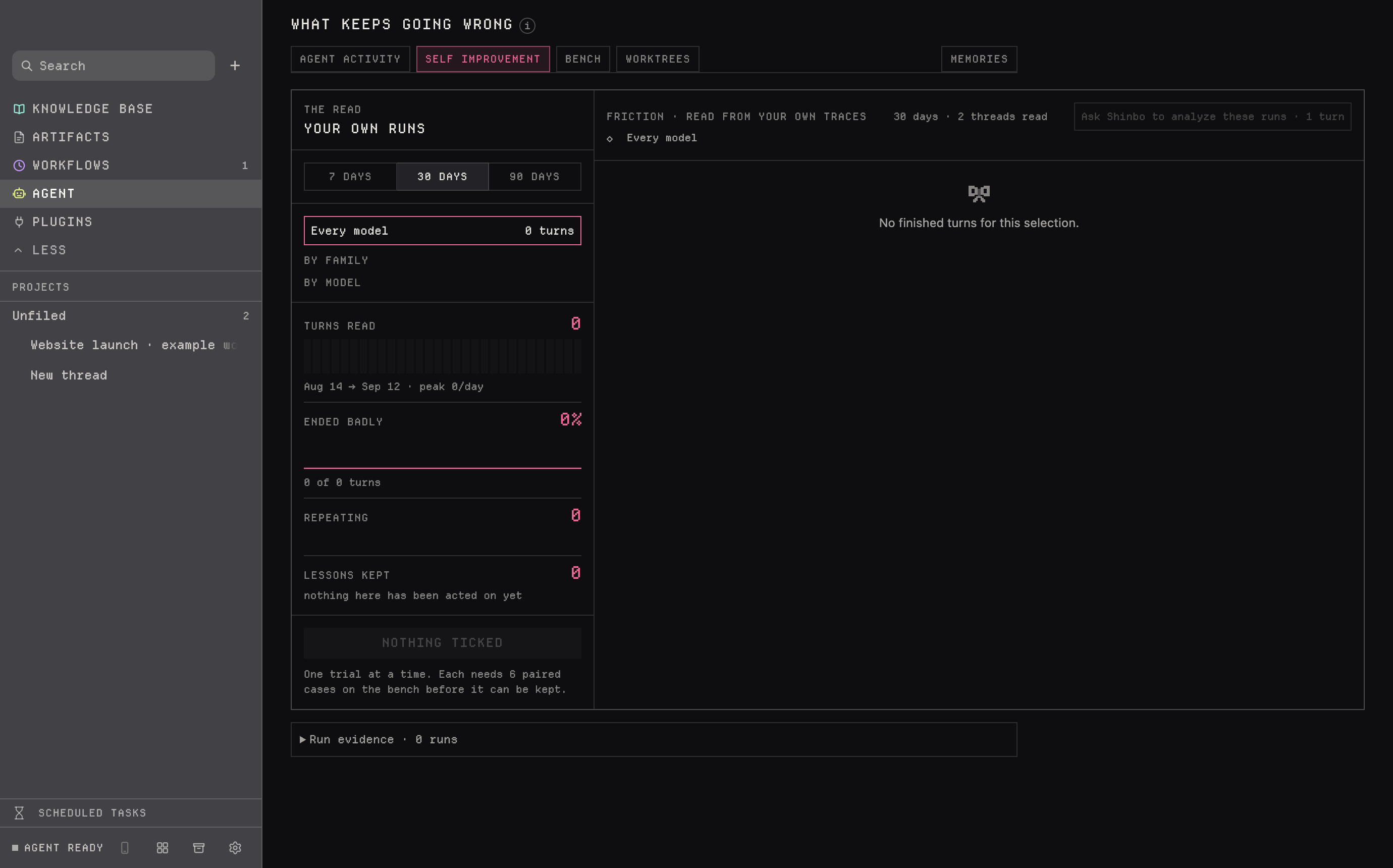
Run evidence holds what each run actually saw: the saved system prompt, attached skills and instructions, run settings, effective changes, and every tool input and result. Nested agents have their own evidence. If a trace did not record which model ran, it stays unknown rather than assumed.
The analysis thread reads the evidence for that window and model and proposes scoped changes, each with a metric and a replay check. It proposes; you decide. Reviewing evidence in the app is local, but asking a hosted model sends what it reads to that provider.
Scope and the six levers
Every proposal targets every model, one family, or one exact model id including its namespace. Trials and kept changes apply only to matching models, because evidence from one model says nothing about another. A change can pull one of six levers:
- Standing instructions
- rules the model reads on every turn
- Auto-verifier rules
- what the Auto-mode verifier clears or blocks
- System prompt
- the prompt itself
- Tool descriptions
- how each tool explains itself
- Tools offered up front
- which tools are in the first request
- Harness knobs
- settings on shinbo-cli
Skills can appear in an analysis as a recommendation, but a skill is not a lever the bench can trial.
The replay bench
The Bench replays saved cases twice on a matching model, once with the change and once without. The case count is fixed before the run starts, and eight metrics are compared:
Only a finished bench run can keep a change. A replay that comes out ahead is evidence for those cases, not a guarantee about future work.
- Current source retains 64 traces per thread and limits each trace to 1,048,576 JavaScript string units (UTF-16 code units, not bytes). Older traces can lack model or prompt context, and long traces can be shortened. Review while the evidence is fresh.
- Token and cost figures are estimates, not invoices.
- Asking Shinbo sends the evidence it reads to the selected model provider. Keep the review in-app if that matters.
- Nothing here is autonomous self-healing. A change is only kept after a finished bench run, and a win on the bench is not a measured gain for every user or model.
Related: Control for the Auto verifier the rules lever tunes, Plan for the inspector's per-step accounting, Tools for write_skill and read_trace.